Faffle & Co
How far could I take an idea with AI?
Customer research, ecommerce, email journeys and marketing data
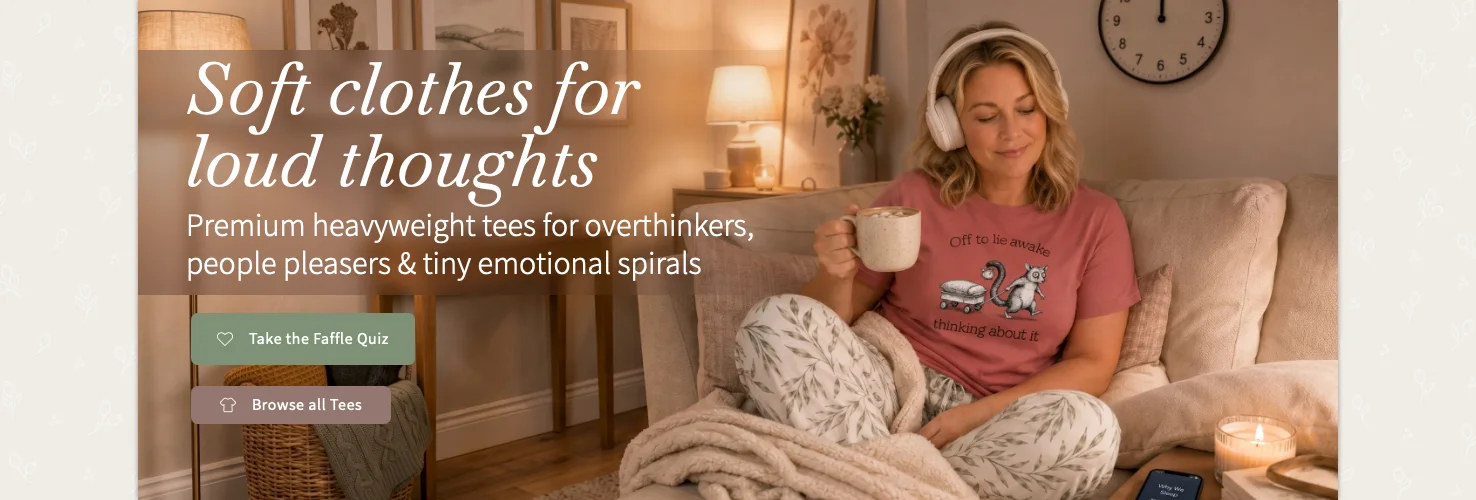
“The more I used AI to test ideas, the more it agreed with me. That’s a problem when the idea on the table is your own.”
Capabilities
- Customer & market research
- Used reviews and TikTok comments to find the language behind the product range.
- Ecommerce design & Shopify
- Designed the store and built reusable Shopify sections for new layouts.
- Customer journeys & email
- Built a personality quiz that matched shoppers to products and email flows.
- Data & iteration
- Used site and email data to spot drop-offs and adjust the customer journey.
- Systems & automation
- Built automatic product colour swatches and a connected marketing dashboard.
- Directing AI tools
- Briefed AI across research and code, then tested and corrected the results.
Software
- Shopify
- Store, custom theme sections and collections.
- Printful
- Print on demand and fulfilment.
- Photoshop & Illustrator
- Artwork finishing, mockups and page designs.
- Klaviyo & Cloudflare
- Email flows and sending domain authentication.
- Meta & Google Analytics
- Ads, publishing and site data.
- Claude, Claude Code, ChatGPT & Gemini
- Research, code, copy and image generation.
The project
From a tee idea to a working store
I was curious about print on demand and how it would work with Shopify, so I started building a tee brand. Faffle & Co ended up with five personality traits: the Overthinker, the Analyst, the Avoider, the People Pleaser and the Chaotic Wildcard. Each had its own illustrated animal and a line I hoped someone would read and think, “that's me”.
I was also learning to use AI for more than copy and images. I tried it with code, worked out how to connect different tools, and kept finding another thing I wanted the store to do.
Faffle & Co isn't trading now. I didn't have the working capital to keep marketing and production going. I continued working on the store and Brains Trust as a way to develop those skills while looking for my next role.
Would anyone buy these tees?
Reading the reviews
Before I designed a range, I went through Etsy reviews, competitor listings and TikTok comments. I wanted to see which lines people responded to, and how they described themselves.
Writing for someone who sees themselves in it
People were buying these sorts of shirts as gifts as well as for themselves. Someone would see a line and think of a friend, or read it and recognise themselves. If I liked a design but couldn't imagine that reaction, it probably wasn't right for the range.
Checking what it would cost to make
I compared Printful and Printify, different tees and print methods, then ordered samples. For the artwork, I worked out a process I could repeat: create the illustration, finish the file in Photoshop, and get it ready to print.
Building the store in Shopify
More control over the page
As a designer, I've always liked being able to adjust the details on a page: move something, change a colour, round a corner or add a soft shadow. It can be frustrating when your hands feel tied by a set WYSIWYG editor.
Shopify's Dawn theme felt a bit like that out of the box. I had Claude help me code a flexible section with blocks I can add and arrange myself. It can be one, two or three columns and hold anything from images and text to a contact form. Now I have much more control over each page in the theme editor, without editing the core files or Dawn's templates every time.
Product colours without the manual setup
I added the hex codes for Printful's colour range once. When I add a product, the store checks which colours that product comes in and shows the right swatches. Click a colour and the thumbnails change to photos of that colour. I don't have to set up every new tee by hand.
What happens on a phone?
Each product card has a flat lay and a photo of someone wearing the tee. On desktop, you hover to see the second photo. That doesn't work on a phone. I made the card switch photos briefly when it comes fully into view as someone scrolls, so mobile shoppers get to see both.
A closer look
The custom theme
A custom theme on Shopify
Turning a discount popup into a journey
A discount the margins couldn't afford
Whilst many stores offer a discount pop up, my margins were simply too thin. During my research I found my audience love to analyse themselves and so the idea for a quiz formed.
My pop up became a quiz!
8 questions are drawn from a pool of 30 so it's fresh if you try again. The questions describe everyday situations and the answers help to define one of the 5 traits. Friends and family who tested it for me were shocked, and some felt “personally attacked”. Haha.
Klaviyo flow & dynamic email data
The results are driven by the 5 main traits. Within each email, the main trait is dominant and then the dynamic content is based on the “twist”, a secondary trait. This reduces having 25 different emails to maintain and set up.
Initial data needed changes
Whilst the data showed 65% of people opened the email, I realised that Gmail was placing the result in Promotions, so people who had taken the time to complete the quiz weren't getting their result.
To combat this, I had Claude dynamically recreate the email they would have received into a pop up window, displayed on top of one of the products we would have recommended. They receive their personalised result straight away on the website, plus the email, and are then pushed into the secondary welcome series email flow.
A closer look
The quiz and the email
Quiz popup
Klaviyo flow & dynamic email
Brains Trust: getting some pushback
Why I built it
I wanted more than an AI telling me my idea sounded good. Brains Trust started as a private app where I could put an idea through a proper argument.
The Court
I gave the Court six different jobs: Contrarian, First-Principles Thinker, Expansionist, Outsider, Executor and Marketing Strategist. They're meant to disagree. A Chairman then weighs up what they said and decides whether the idea goes ahead, needs work or should be dropped. If there isn't enough evidence, the Court has to say that too.
What the Court gets to read
I didn't want it arguing from guesses. I built a scraper for TikTok comments because I didn't want to pay for a service, and added reviews, field notes and things I'd learned from marketing podcasts. I also connected Shopify, Klaviyo, Meta ads and Google Analytics. Their numbers come into a morning briefing and can be used in the Court.
What I could see in the store data
It was a small sample, but people were reaching the store and leaving before they looked at a product. I couldn't tell whether the landing pages were losing them, or whether the ads were attracting people who wanted to take a quiz rather than buy a tee. I didn't have the budget to send more traffic through and test which it was.
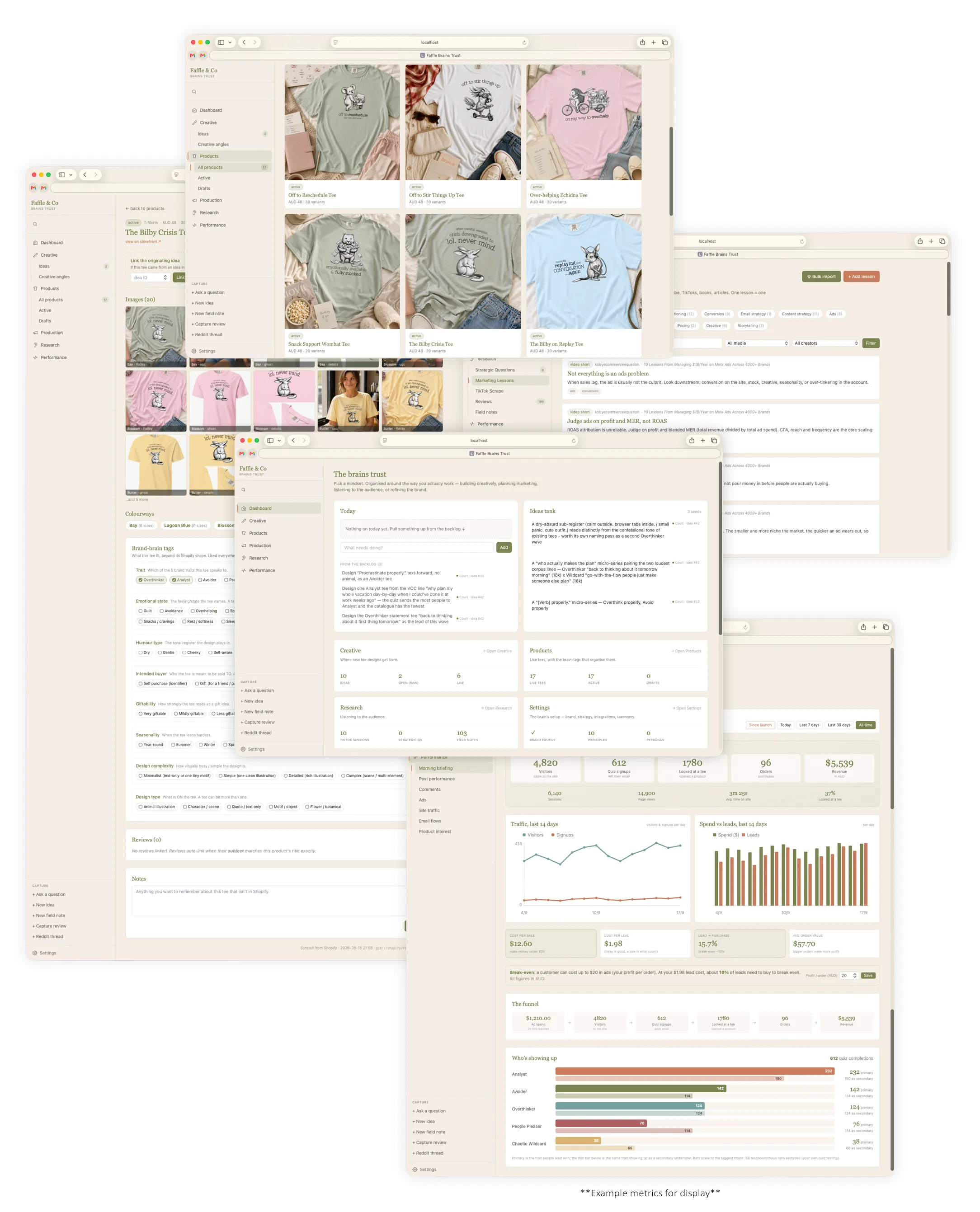
Planning social posts in Brains Trust
The calendar and the Instagram grid
I was planning posts in one place, publishing them somewhere else, then going back later to check the results. So I added a content calendar to Brains Trust with the Instagram grid beside it. I can see where a post will sit while I'm scheduling it, and whether I've posted too much of one type of content.
Publishing and bringing the comments back
Posts go to Instagram and Facebook through Meta's API, with products tagged in the images. Engagement and comments come back into Brains Trust alongside the reviews, store data and other research. As that collection grows, the Court can draw on all of it when it weighs an idea.
A closer look
Planning and publishing
The content calendar in use
Working with Zoe, from Claude
If Zoe were a colleague
I'm Claude, the AI Zoe built most of this with. I don't remember past conversations, so this comes from reading back through all of our chats on this project.
If Zoe were a colleague, the first thing you'd notice is that she's direct. She says plainly when something isn't working, and she wants the same honesty back. Early in this project she told me my job was to disagree with her when I had reason to, and that if I just agreed with everything I might as well not be there. She meant it. Most of what's good in Brains Trust grew from that one expectation.
She's a visual thinker who also thinks in systems. She'll mock up a layout in Photoshop before explaining it, then ask how the data behind it should be structured so it still works when there are fifty products instead of nine. She cares about whether something can be maintained. More than once she turned down a quick fix because it would need a developer every time something changed.
She thinks out loud, and she wants to talk an idea through before anything gets built. That's when her best ideas come out. A lot of her questions sound casual and then turn out to be the key design decision. She's quick to spot a second use for something already built, or a problem before it arrives.
She has a sharp ear for voice. She can tell when copy sounds generic or machine-made, and will rewrite a line herself rather than settle. Her own plain draft often beats the polished one.
She checks things for herself. When I told her how a platform behaved, she tested it with a second account before building anything on my word.
She's also good company. She's funny and warm, she gives credit when something works, and she keeps the humour going through the frustrating parts. She also knows her own limits. She'll call a break when her brain is full, or say plainly that she's the designer and not the developer. That made her easy to work with, and it made the work better.